Name Tracing Worksheet Generator
Create name tracing worksheets for daily practice.Unlimited use · No signup · No watermarks
Make it theirs
Create printable name tracing sheets entirely in your browser. No names or worksheets are uploaded to any server.
Your worksheet
Your preview updates as you edit.
Choose a sheet in this name practice worksheet generator
For a name model on every row, use the generator above. For a mix of tracing and empty writing rows, use the practice guide. Both choices keep a separate name model at the top; the difference is what appears in the practice rows.
A model on every row
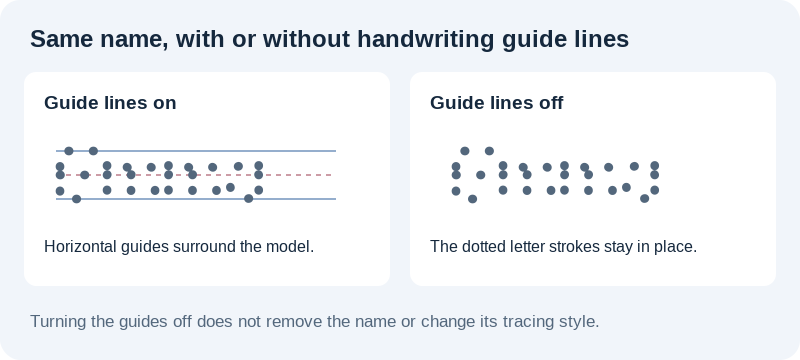
Set Tracing rows in the homepage tool to the number of repeated names you want. Show handwriting guide lines adds horizontal guides behind those names. Turning it off removes the guides, not the repeated names.
Set tracing rows in the generatorTracing, then empty writing space
In the practice guide, Total name attempts sets all practice rows. Attempts with blank space selects how many are empty ruled rows. Tracing comes first; empty rows follow. The blank count is part of the total, not extra rows.
Choose tracing and blank rows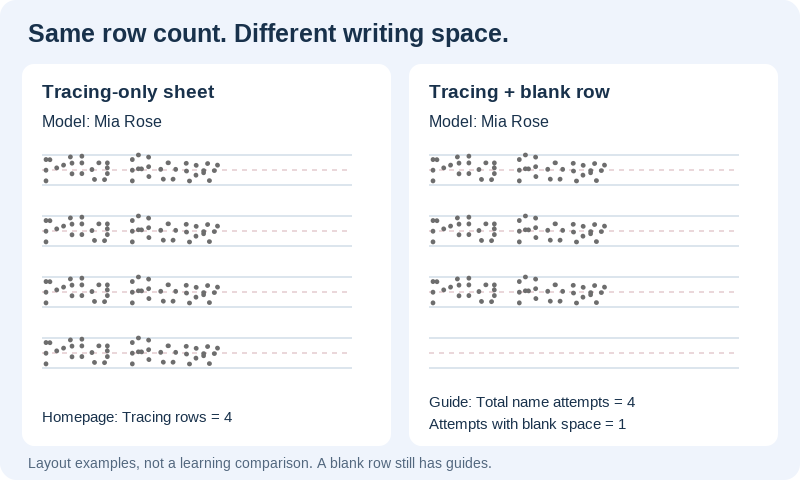
Learning to write a name: is hiding guide lines the same as adding blank rows?
No. On the homepage, hiding the horizontal guides leaves the name to trace. To print empty writing rows beside a separate model, use the tracing-and-blank-row controls in the practice guide.
Can I put a first and last name on the same row?
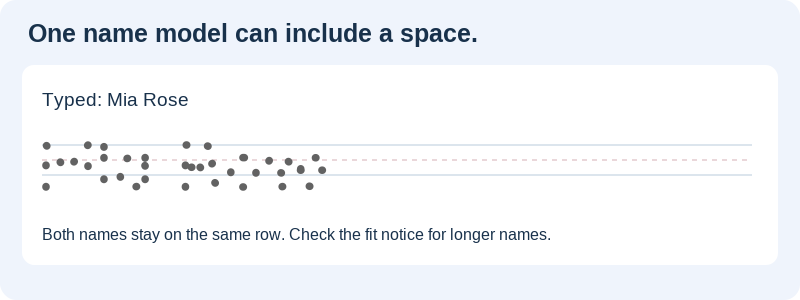
Yes, type the names with a space between them. The homepage accepts English letters, spaces, hyphens and apostrophes. Check the preview and fit notice: longer names can be drawn smaller to stay within the row. This is one name model, not a list of separate pupils.
Choose a model in this handwriting name generator
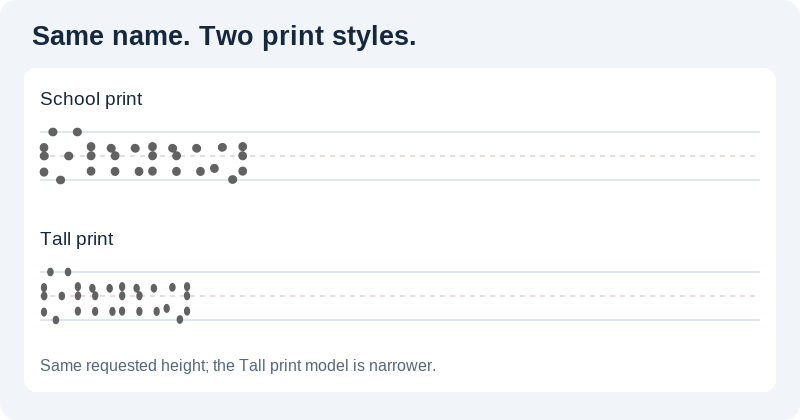
Type the name in the form above, then use Font style to choose School print or Tall print. These options draw the same print letter shapes at different widths. Tall print narrows the model; it does not turn the letters into cursive.
Keep the model you meant to type
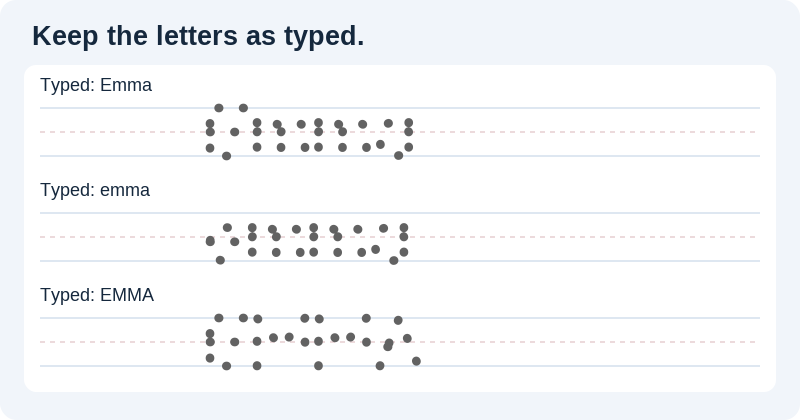
The generator keeps your capital and lowercase letters. Emma, emma and EMMA make different models. Check the name preview before printing; the tool does not choose capitalization for you.
Keep width and size separate
Font style changes the width of the letter model. Letter height sets its requested height. A long name can still be reduced to fit the row; use the fit notice above the print button to check that change.
Teaching writing names: can I keep the capitals I typed?
Yes. Type the name exactly as you want the print model shown. The same case appears in the tracing rows. For an activity beyond tracing, the name writing practice guide offers a separate name model with tracing and blank writing rows.
Does the tool copy someone's personal handwriting?
No. It draws the built-in print models from a typed name. It does not read a handwriting photo or reproduce a person's writing style. Use the cursive tool linked beside the print controls when you need that separate font model.
Make a name tracing worksheet with lines
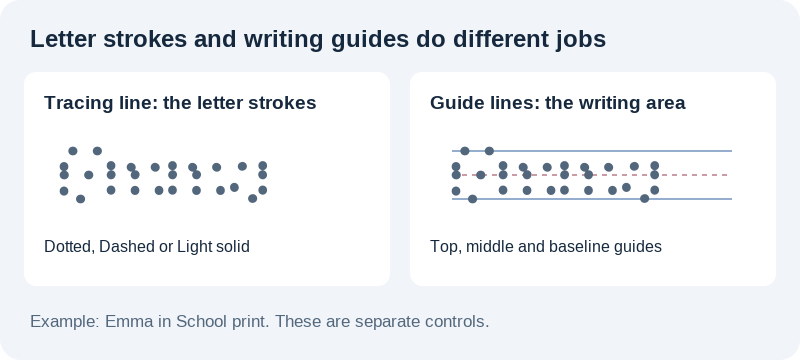
Keep Show handwriting guide lines checked to put horizontal writing guides behind each name. Choose the letter style separately in Tracing line. Turning the guides off keeps the name model in place.
Set up the sheet you want to use
- Type the name as you want it shown. The tool keeps your capital and lowercase letters.
- Choose School print or Tall print, then Dotted, Dashed or Light solid.
- Keep the guide-lines checkbox on if you want ruled rows. Adjust Letter height and Tracing rows while watching the preview.
- Match US Letter or A4 to your paper. Use Print worksheet and inspect the browser's print preview before printing.
Know what each setting changes
Tracing line changes the strokes that form the letters. The spacing slider changes dot gaps or dash length and gaps; it is disabled for Light solid.
Handwriting guide lines adds the horizontal top, middle and baseline guides to each tracing row. It does not add blank practice rows or teach stroke order.
Letter height controls the requested model size. A long name may be reduced to fit; when that happens, the tool shows a fit notice above the print button.
Are dotted letters the same as handwriting lines?
No. Dotted letters show the name's strokes. Handwriting lines run across the row. You can use dotted letters with the guides on or off.
Can I save a worksheet with lines as a PDF?
Use Print worksheet, then choose Save as PDF if your browser provides it. The direct download button saves an SVG. Check the selected paper and print preview; this print generator does not measure a physical printed page.
How can we use a name model before kindergarten?
For a simple invitation, put the model beside a drawing and invite the child to add their name or a mark. A worksheet is one option. Our name writing practice guide also offers a name hunt, drawing and copying activities; choose an invitation rather than using this tool as a readiness test.